TrainTool vs DialogueTrainer: Which conversation practice platform is right for you?
An advisory meeting, a complaint, breaking bad news. The conversations that matter most are often the hardest to practise. If you're looking into AI conversation training, you've probably come across two names: TrainTool and DialogueTrainer.
Both platforms let people practise realistic conversations in a safe environment and get feedback without anyone watching. Both are Dutch, use AI and work with businesses, training providers and educational institutions. But which one is right for your organisation?
Full disclosure: TrainTool is part of aNewSpring, so we know it inside out. We've done our best to give both platforms a fair comparison though. Below, we compare how each platform works, what they do well, where they fall short, and which type of organisation they suit best.
Comparing TrainTool vs DialogueTrainer
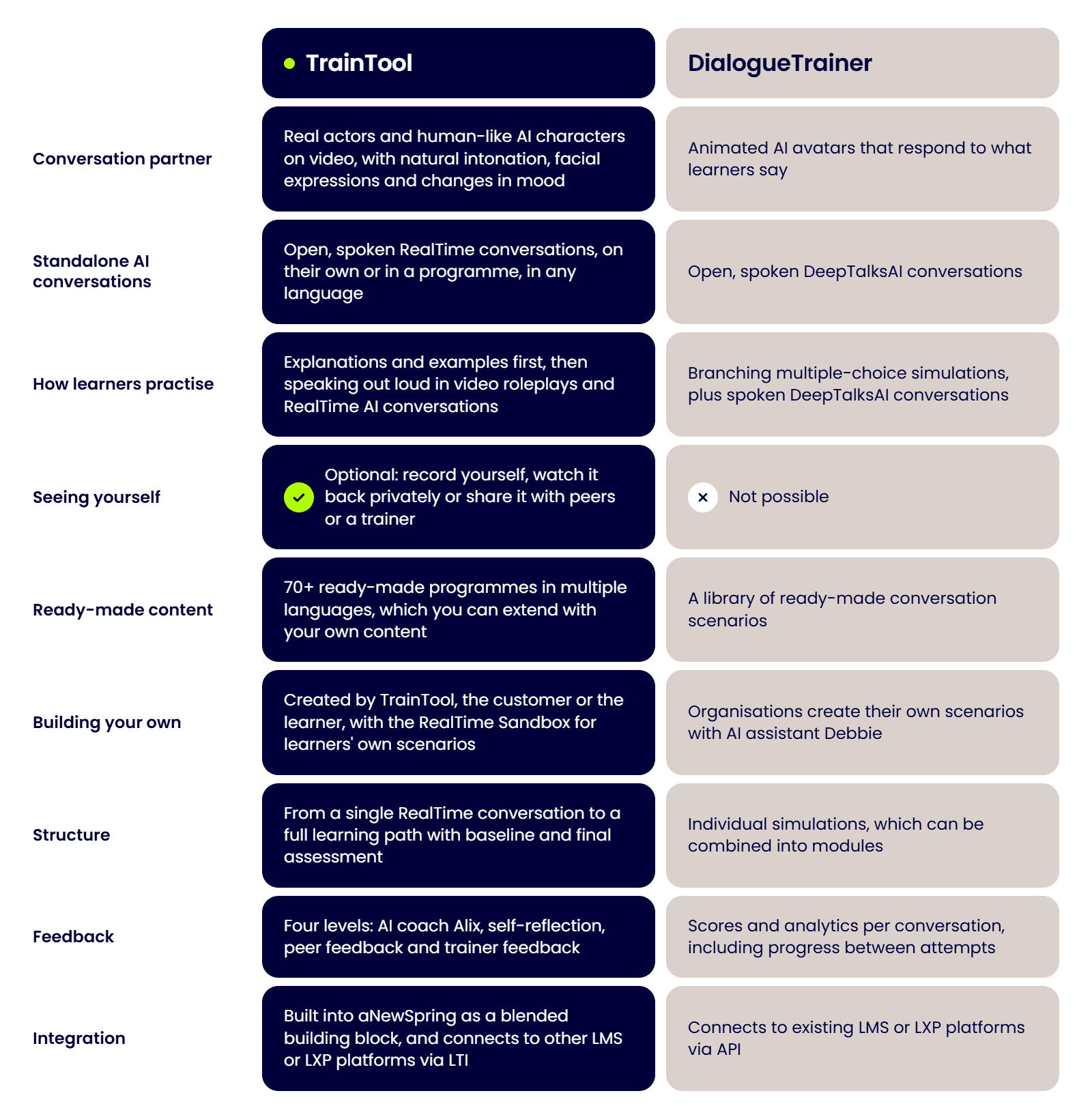
Both platforms offer standalone AI conversations as well as more extensive training programmes. The main differences are in the size of their content libraries, how learners practise and whether they can watch themselves back.
TL;DR
TrainTool is a good fit for organisations and training providers that want learners to practise speaking in realistic conversations and watch themselves back. Start with a single RealTime conversation or build a complete programme with measurable results, using a library of 70+ ready-made programmes.
DialogueTrainer suits organisations that prefer branching multiple-choice simulations or want to build their own scenarios from scratch.
TrainTool overview
Practise as often as you like, make mistakes without the pressure and feel more prepared for the actual conversation.
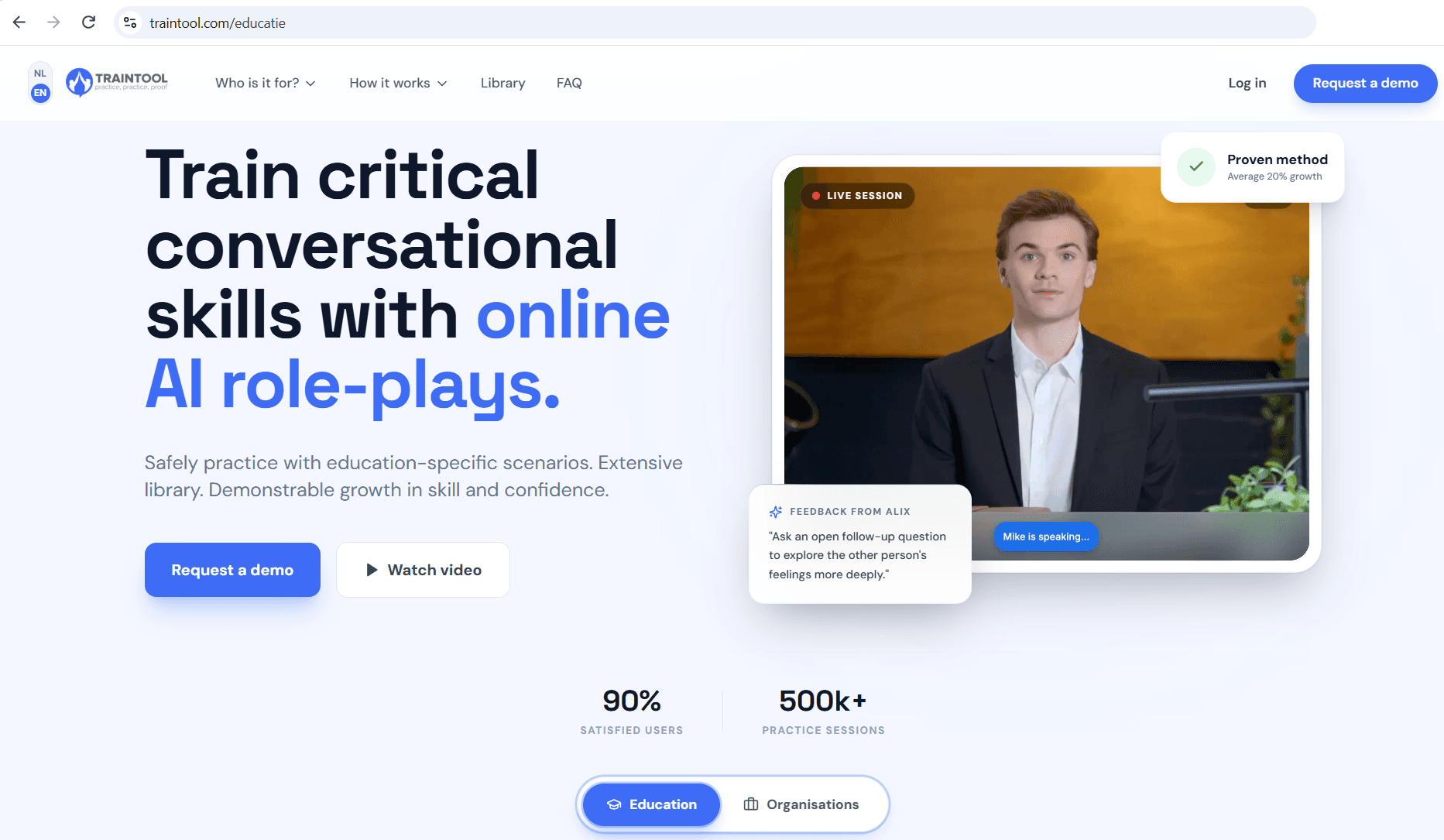
TrainTool isn't about doing a random exercise. It's a learning concept built on proven conversation techniques and competencies. Learners practise realistic, familiar situations, learn the techniques behind effective conversations and get immediate feedback on what went well and what they could improve. This helps them build both their skills and confidence before putting them to the test in real life.
Practise as often as you like, make mistakes without the pressure and feel more prepared for the actual conversation.
Realism matters here. When the person on screen looks real and behaves naturally, learners are more likely to respond as they would in an actual conversation, rather than being distracted by the technology. This helps them put what they've practised into action.
TrainTool is used by businesses, training providers and both public and private educational institutions, with tens of thousands of users each year. Typical topics include leadership, sales conversations, complaint handling, patient conversations and collaboration.
Features
Standalone RealTime conversations: live AI conversations in any language, available on their own or as part of a programme. Clients with a creator role can also build their own RealTime conversations.
Learning by doing, with real people on video: after watching the explanation and examples, learners practise by responding out loud rather than choosing from a list of options. They interact with real actors and human-like AI characters that use natural intonation, facial expressions and changes in mood.
Asynchronous video roleplays, with optional self-recording: learners can record their responses whenever it suits them. They can watch themselves back privately to see whether their facial expression matches their message, or share it securely with peers or a trainer.
The RealTime Sandbox: learners choose which skill, conversation avatar, topic and situation to practise with, so they can prepare for an upcoming, difficult conversation right away. Optionally, the trainer sets a fixed skill, leaving learners free to just choose the avatar, topic and situation. Ideal for keeping skills fresh after a training day.
70+ ready-made programmes, up to a full learning path: choose from individual exercises or complete learning paths with a baseline and final assessment, covering themes like leadership, commercial skills, customer contact, healthcare, education and more. Programmes are available in multiple languages and can be extended with your own content or content developed for you.
Four feedback levels, with insight for trainers: learners can get 24/7 feedback from AI coach Alix, plus self-reflection, peer and trainer feedback. Trainers can track progress for individual learners and teams through a dashboard.
Integration and security: part of aNewSpring as a blended building block. It also connects to other LMS or LXP platforms via LTI. ISO27001-certified, and customer data is never used to train AI models.
Cons
Pricing isn't published: you'll need to contact TrainTool for a tailored quote.
Full programmes aren't available in every language yet: RealTime conversations work in any language, but availability varies for complete programmes. Check whether yours is supported.
DialogueTrainer overview
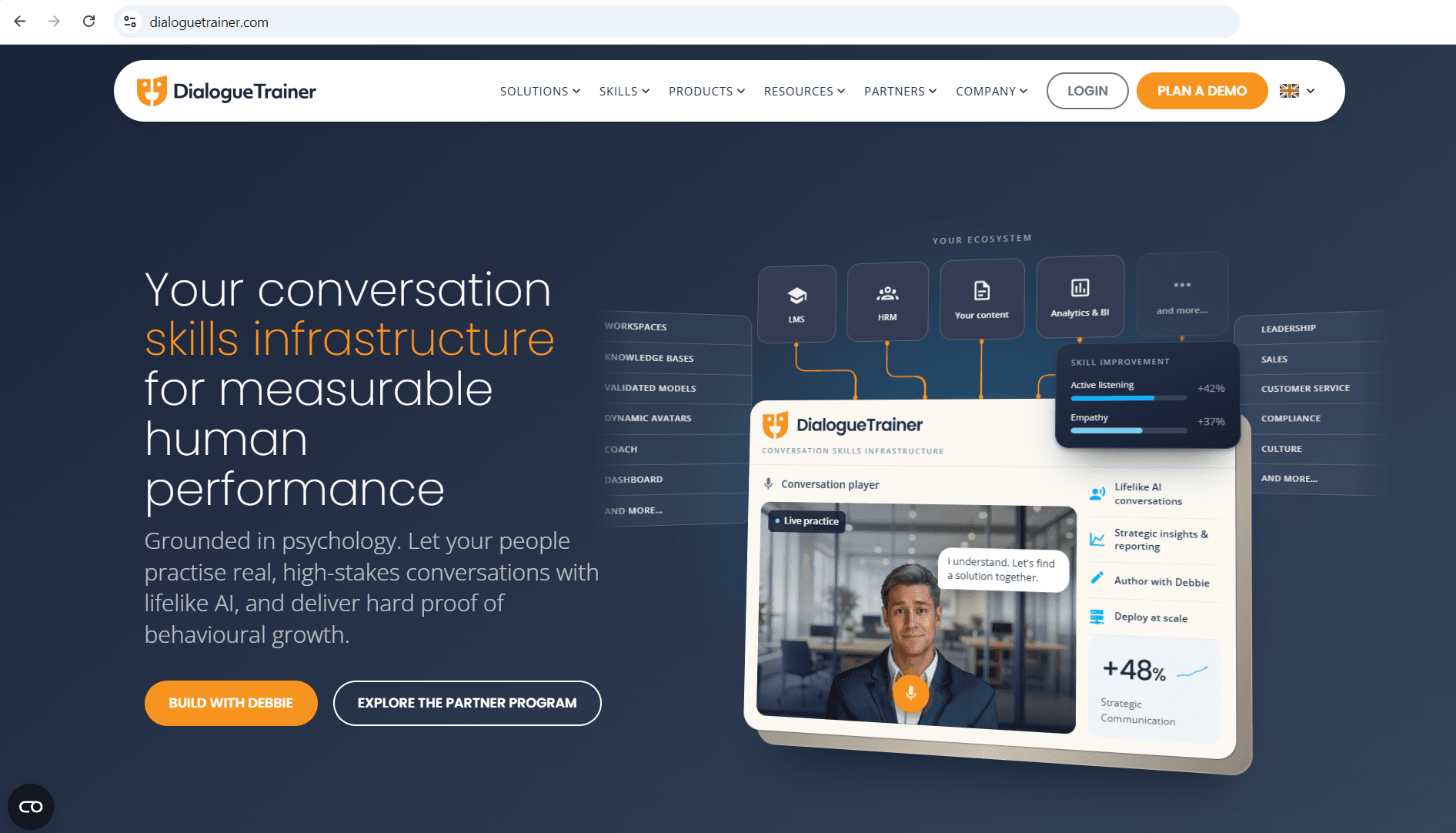
DialogueTrainer started as a collaboration with Utrecht University and has built its conversation simulations on psychological research.
Learners practise with animated AI avatars that react to what they say, showing resistance, hesitation or openness. It works with businesses, healthcare, education, customer care and government, and partners with training companies and corporate academies.
Features
Two simulation formats: branching multiple-choice simulations, where each choice changes how the conversation unfolds, and DeepTalksAI, which lets learners have open, spoken conversations with an AI character.
AI-assisted scenario creation: organisations describe a scenario in plain language, and AI assistant Debbie helps them build it.
Modules: simulations can be combined with content and knowledge checks.
Scores and analytics: insight into what learners said and how they improved from one attempt to the next.
Integration: connects to existing LMS or LXP platforms via API.
Cons
Clicking rather than speaking in branching simulations: in the multiple-choice simulations, learners choose from response options instead of saying the words themselves.
Simulations rather than a complete learning path: there's no built-in baseline and final assessment around the practice, so you'll need to design the learning journey around the simulations yourself.
Pricing isn't published: you'll need to contact DialogueTrainer for a quote.
TrainTool vs DialogueTrainer: Which should you choose?
Both platforms take conversation practice seriously. Which one is right for you depends on how you want your learners to practise and what you want them to achieve.
Choose DialogueTrainer if you prefer branching multiple-choice simulations with animated avatars, and you'd rather design the scenarios and the learning journey around them entirely yourself.
Choose TrainTool if you want conversation practice that measurably changes behaviour. Learners practise speaking with real actors and AI characters on video, just as they would in a real conversation. They can also see themselves back, and get feedback from AI, peers and trainers. With the Sandbox option for RealTime exercises, they can keep practising long after a training day, using conversations they're actually preparing for. And you don't have to commit to a full programme. You can start with a single RealTime conversation in your own LMS, in your own language, and build from there.
For training providers, TrainTool also makes it easy to add your own branding, content and trainer feedback, so you can offer the training under your own name.
Curious what TrainTool can do for your teams or your learners? Book a demo and we'll show you, or request a trial account and try it yourself.
FAQs about TrainTool and DialogueTrainer
What is the main difference between TrainTool and DialogueTrainer?
With TrainTool, learners practise real-life conversations by speaking out loud with actors and lifelike AI characters on video. They can also record themselves and watch their responses back. TrainTool offers a library of 70+ ready-made programmes, and you can choose anything from a single RealTime conversation to a complete learning path.
DialogueTrainer uses animated avatars for conversation simulations, including branching multiple-choice exercises. These can be added to your existing learning environment.
Can we use TrainTool for a single conversation, without a full programme?
Absolutely. RealTime conversations are available as a standalone intervention, in any language. Customers with a creator role can also build their own RealTime conversations.
Can learners practise their own real-life conversations?
Yes! With TrainTool's RealTime Sandbox, learners can choose the skill they want to practise, along with the conversation avatar, topic and situation. Within a minute, they can start practising a conversation that's relevant to them.
Trainers can also choose the skill in advance, leaving learners free to create their own scenario. AI coach Alix then gives feedback on the underlying competencies of that skill.
Is AI feedback reliable?
TrainTool's AI coach Alix gives feedback based on clear, predefined criteria that have been tested in advance. And Alix is just one of the four sources of feedback. Learners can also reflect on their own performance and get feedback from peers and trainers.
What happens to our data?
TrainTool only processes the data needed to give feedback, and customer data is never used to train AI models. The platform is ISO-certified and follows strict guidelines on personal data. Self-recordings in roleplays are private, unless the learner chooses to share them.
Does TrainTool work with aNewSpring?
Yes. TrainTool is part of aNewSpring and integrates into aNewSpring learning journeys as a blended building block. That way, conversation practice sits alongside e-learning, live sessions and assessments in one learning journey. Using another LMS or LXP? Then you can connect TrainTool via LTI.